Thoraipakkam :
+917825888899
Tirunelveli :
+917825888866
Ashok Pillar :
+917825888855
Keelkattalai :
+917825888844


Microsoft Azure Virtual Desktop Certification AZ-140 Training
Build your future with a career in cloud computing and virtual desktop solutions with our Microsoft Azure Virtual Desktop Certification Training.

English

Certified Course
1898 +
Successfully Trained
474 +
Advanced Modules
398 +
Capstone Projects
1898 +
Certificates
Key Features of Microsoft Azure Virtual Desktop Certification AZ-140 Training
Everything you need to accelerate your career — in one place.
- 100%Self-paced
Flexible Learning Framework
The combination of platform and Ease of Learning offers modern-day students a chance to enhance and customize their learning in the most effortless manner possible.
- 10+Yrs Experience
Learn from Expert Trainers
Learn from culture-changing trainers who bring a wealth of experience from the workplace. Master practical skills and tactics that assure success in your field.
- ∞Sessions
Unlimited Practical Classes
Sharpen your skills through unlimited enhanced sessions designed to keep you practicing real-world scenarios continuously and confidently.
- LiveProjects
Internship Opportunity
Kickstart your career with hands-on industry experience through our internship program, featuring real projects and one-on-one mentoring.
- 1:1Mentoring
Interview & Career Guidance
Achieve great heights in your career with expert interview tips, goal setting, and personal mentoring to prepare you for every challenge.
- 500+Hiring Partners
Endless Job Opportunities
Jump-start your career with a multitude of job offers. Find numerous opportunities across industries and build a successful, limitless career.


Overview
Training
Curriculam
Certifications
Reviews
Job Supports
FAQ
Microsoft Azure Virtual Desktop Certification AZ-140 Training Course Overview
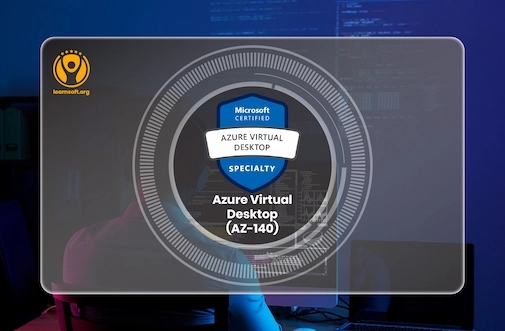
Gain comprehensive knowledge of Azure Virtual Desktop (AVD) architecture and features.
learnsoft.org provides AZ-140 Certification Training TrainingLearn to implement and optimize virtual desktop environments for different workloads.
Master the deployment of secure, user-centric remote desktops and applications. Join learnsoft.org
Understand the tools for monitoring, troubleshooting, and maintaining AVD performance.
Equip yourself with hands-on skills to excel in real-world AVD administration scenarios.
Available Microsoft Azure Virtual Desktop Certification AZ-140 Training Options in Training
Choose a batch that fits your schedule — weekday, weekend, online, or corporate.
Week-Days Batch
Week-End Batch
Online Classes
Corporate Training
Flexible Payment Plans for Microsoft Azure Virtual Desktop Certification AZ-140 Courses

Study Now, Pay Later
Questions About Payment? Call Us Now!
Full Microsoft Azure Virtual Desktop Certification AZ-140
Syllabus
Module 1: Plan an Azure Virtual Desktop Architecture
- Design host pool architecture based on user workloads
- - Assess and configure network requirements for Azure Virtual Desktop
- -- Integrate identity solutions with Azure Active Directory (Azure AD)
Module 2: Implement Azure Virtual Desktop Infrastructure
- Deploy session hosts and host pools using Azure portal and PowerShell
- Configure storage and implement FSLogix profile containers
- Automate Azure Virtual Desktop deployments with Azure Resource Manager templates
Module 3: Manage User Environments and Applications
- Configure and publish RemoteApp programs
- Manage personal and pooled desktops
- Implement policies to enhance user experience
Module 4: Monitor and Troubleshoot Azure Virtual Desktop Deployments
- Utilize Azure Monitor and Log Analytics for performance monitoring
- Resolve session host and connection issues
- Implement diagnostics and monitoring tools for Azure Virtual Desktop infrastructure
Module 5: Secure Azure Virtual Desktop Environments
- Apply Conditional Access policies to secure user access
- Implement endpoint protection and compliance policies for session hosts
- Configure role-based access control (RBAC) for Azure Virtual Desktop resources
Module 6: Scale and Optimize Azure Virtual Desktop Solutions
- Implement scaling plans to optimize resource usage
- Optimize costs by managing virtual machine sizes and reserved instances
- Use tools like Azure Advisor for cost and performance optimization
Module 7: Plan for Hybrid Azure Virtual Desktop Environments
- Integrate on-premises systems with Azure Virtual Desktop
- Plan hybrid storage solutions for Azure Virtual Desktop
- Ensure compliance and connectivity for hybrid environments
Module 8: Automate and Integrate Azure Virtual Desktop Management
- Automate deployment processes using PowerShell scripts
- Use Azure Automation for regular maintenance and updates
- Integrate third-party solutions with Azure Virtual Desktop for enhanced capabilities
Module 9: Manage Access and Security for Azure Virtual Desktop
- Configure multi-factor authentication for remote users
- Implement VPN solutions for secure Azure Virtual Desktop access
- Use Azure Active Directory for centralized user access management
Module 10: Troubleshoot and Optimize Performance for Azure Virtual Desktop
- Analyze performance issues with Azure Virtual Desktop session hosts
- Implement best practices for optimizing virtual desktop environments
- Utilize Azure diagnostics tools for real-time troubleshooting
Certification Path For Microsoft Azure Virtual Desktop Certification AZ-140
The AZ-140 Certification Training Designed for IT administrators specializing in virtual desktop solutions.
Covers key aspects like planning, deploying, and troubleshooting Azure Virtual Desktop.
Offers hands-on training aligned with real-world implementation.
Key Highlights
- Expert-led live or self-paced training sessions.
- Hands-on labs for practical understanding of Azure Virtual Desktop features.
- Comprehensive coverage of identity, security, and monitoring tools.
- Guidance for cost-effective scaling of virtual desktop environments.
- Exam-focused learning with real-world scenarios and case studies.
Interested in Mastering with Learnsoft.org?
Join an exclusive batch of just 5 students to receive best-in-class training, live sessions, and personalized mentorship from leading industry experts.
- 5Students per Batch
- 100%Live Sessions
- 1:1Mentorship
- ExpertIndustry Trainers
Reviews from Our Microsoft Azure Virtual Desktop Certification AZ-140 Learners
“This AWS course exceeded all my expectations! The trainers are incredibly knowledgeable, and the live projects helped me gain real-world experience. I'm confident about my skills now, thanks to Learnsoft ”
“Hi...I've completed DevOps and AWS training in learnsoft. They are perfect in the industry. After completing the course, within 2 weeks they've arranged me a suitable job for me.”
“I am from pune. On first I was afraid to learn the course in online. later I had a demo session on Azure. From the demo to till my whole course completion I had an amazing experience thanks to ghani”
“I've completed Dynamic 365 training here and placed in a MNC. I can't mention the company name here. Thank you Syed Anwar for guidance.”
“Overall PP training was good.Trainer is knowledgeable and we now have recorded sessions available too.Trainer has provided some good real time examples related to IT environment which helped me too.”
“I enquired course of Azure for my daughter they are so nice of me to explain about azure so we’ll good communication with people and be patient to help with people who need more career guidance I am happy to enquiry here”
“This AWS course exceeded all my expectations! The trainers are incredibly knowledgeable, and the live projects helped me gain real-world experience. I'm confident about my skills now, thanks to Learnsoft ”
“Hi...I've completed DevOps and AWS training in learnsoft. They are perfect in the industry. After completing the course, within 2 weeks they've arranged me a suitable job for me.”
“I am from pune. On first I was afraid to learn the course in online. later I had a demo session on Azure. From the demo to till my whole course completion I had an amazing experience thanks to ghani”
“I've completed Dynamic 365 training here and placed in a MNC. I can't mention the company name here. Thank you Syed Anwar for guidance.”
“Overall PP training was good.Trainer is knowledgeable and we now have recorded sessions available too.Trainer has provided some good real time examples related to IT environment which helped me too.”
“I enquired course of Azure for my daughter they are so nice of me to explain about azure so we’ll good communication with people and be patient to help with people who need more career guidance I am happy to enquiry here”
Tap to pause & read
“This AWS course exceeded all my expectations! The trainers are incredibly knowledgeable, and the live projects helped me gain real-world experience. I'm confident about my skills now, thanks to Learnsoft ”
“Hi...I've completed DevOps and AWS training in learnsoft. They are perfect in the industry. After completing the course, within 2 weeks they've arranged me a suitable job for me.”
“I am from pune. On first I was afraid to learn the course in online. later I had a demo session on Azure. From the demo to till my whole course completion I had an amazing experience thanks to ghani”
“I've completed Dynamic 365 training here and placed in a MNC. I can't mention the company name here. Thank you Syed Anwar for guidance.”
Trusted by thousands of learners across India
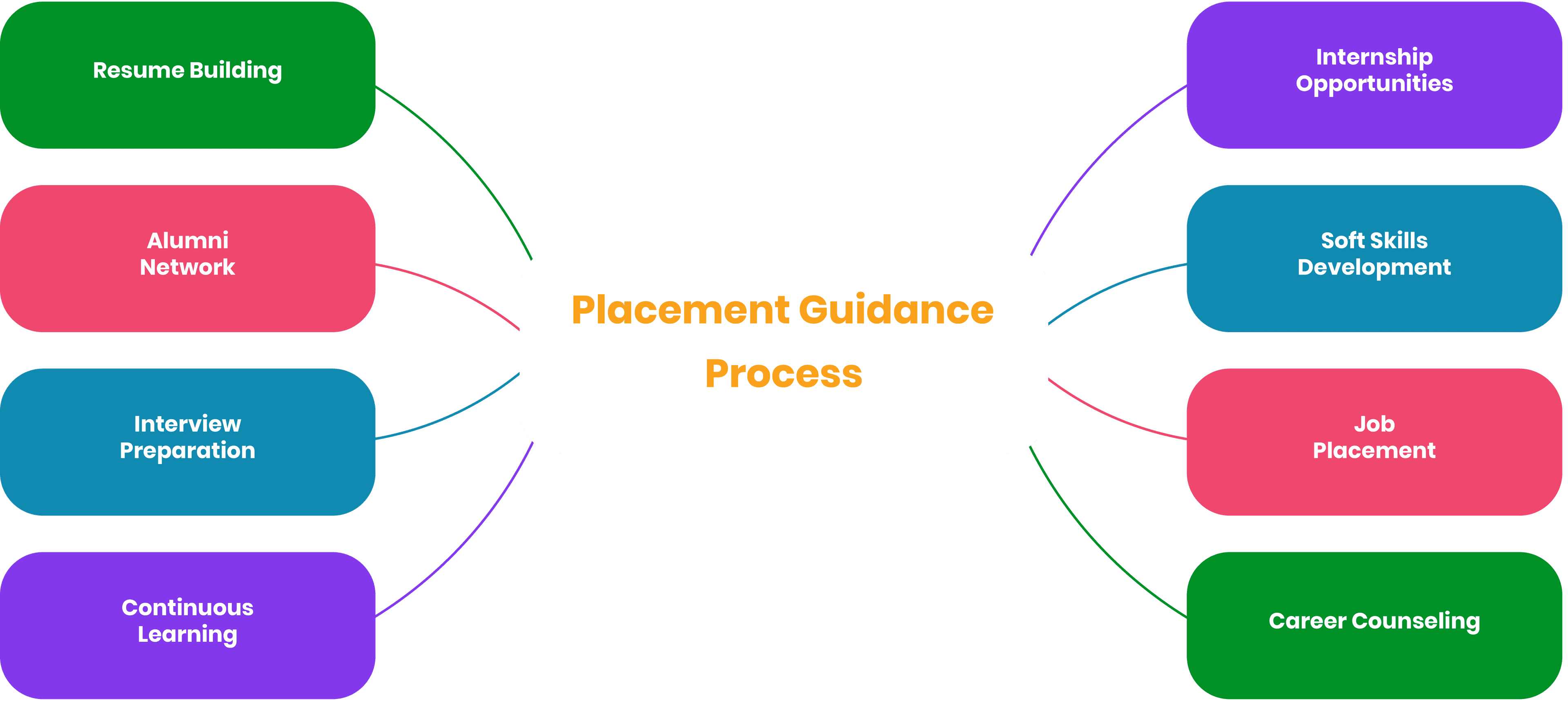
Placement Guidance: Your Career with Microsoft Azure Virtual Desktop Certification AZ-140
We take pride in contributing to countless successful career transitions across the globe
Microsoft Azure Virtual Desktop Certification AZ-140 Training with Job Support Program
Support Work for over 70+ Technologies
Our plans of work-support are created as per your individual work or project needs. We have simple plans for beginners and advanced professionals alike who are looking for support in their roles and are willing to excel.
Community of Expert Professionals
With our online support for jobs comes a wealth of experience from approved mentors with real project handling experience and guidance for everyday job work. After support, you will be equipped with the knowledge and confidence to tackle any tasks given to you.
Support Offerings
Whatever the requirement is, you can always expect specialized help from us for your project. Our guided assistance guarantees that you acquire skills and knowledge that will enable you to accomplish the tasks without any worry

Pay Per Hour
Pay Per Week
Pay Per Monthly
FAQ's about Microsoft Azure Virtual Desktop Certification AZ-140 Training
The AZ-140 certification exam is designed to validate the skills and knowledge required for configuring, managing, and securing Azure Virtual Desktop (AVD) environments. It tests your ability to implement and manage a virtual desktop infrastructure, ensuring that you can provide secure and scalable desktop solutions for remote users.
While there are no mandatory prerequisites, it is recommended that you have prior experience with Azure administration, particularly in areas related to networking, virtual machines, and cloud infrastructure. A foundational understanding of Azure services and virtualization concepts will greatly benefit candidates preparing for the exam.
The AZ-140 exam typically lasts about 120 minutes. During this time, you will need to complete around 40-60 questions covering various topics related to Azure Virtual Desktop architecture, deployment, management, security, and troubleshooting.
The AZ-140 exam covers a range of topics including planning Azure Virtual Desktop architecture, implementing session hosts, managing user environments, securing virtual desktop solutions, and optimizing performance and cost. Key areas also include monitoring, troubleshooting, and scaling virtual desktop environments.
To prepare for the AZ-140 exam, it is recommended to follow a structured learning path that includes official Microsoft training, hands-on labs, and practice exams. You can use resources like Microsoft Learn, study guides, and various training courses offered by Microsoft or authorized learning partners.