Thoraipakkam :
+917825888899
Tirunelveli :
+917825888866
Ashok Pillar :
+917825888855
Keelkattalai :
+917825888844



Intune Training in Salem
Join our Intune Training in Salem and learn from the masters! Train with real-life scenarios for mobile device management, security policies, and deployment strategies. Perfect for IT professionals looking to upskill!

Tamil & English

Certified Course
728 +
Successfully Trained
13 +
Advanced Modules
11 +
Capstone Projects
719 +
Certified
Key Features of Intune Training in Salem
Everything you need to accelerate your career — in one place.
- 100%Self-paced
Flexible Learning Framework
The combination of platform and Ease of Learning offers modern-day students a chance to enhance and customize their learning in the most effortless manner possible.
- 10+Yrs Experience
Learn from Expert Trainers
Learn from culture-changing trainers who bring a wealth of experience from the workplace. Master practical skills and tactics that assure success in your field.
- ∞Sessions
Unlimited Practical Classes
Sharpen your skills through unlimited enhanced sessions designed to keep you practicing real-world scenarios continuously and confidently.
- LiveProjects
Internship Opportunity
Kickstart your career with hands-on industry experience through our internship program, featuring real projects and one-on-one mentoring.
- 1:1Mentoring
Interview & Career Guidance
Achieve great heights in your career with expert interview tips, goal setting, and personal mentoring to prepare you for every challenge.
- 500+Hiring Partners
Endless Job Opportunities
Jump-start your career with a multitude of job offers. Find numerous opportunities across industries and build a successful, limitless career.


Overview
Training
Curriculam
Certifications
Reviews
Job Supports
FAQ
Intune Training in Salem Course Overview

While using resources in the cloud is becoming a necessity these days, there is a rising need for cloud management experts, especially those skilled in Microsoft Intune. Microsoft Intune Training in Salem helps you acquire the required skill set. Learnsoft provides Training in Salem the best Microsoft Intune training courses where students gain hands-on experience and learn the underlying principles of the Microsoft Intune program. Learnsoft’s team of qualified instructors delivers multifaceted training and conducts classes by integrating simulations and case study analysis as the best practices in training. Call us today to learn Intune Training in Salem and become a certified Microsoft Intune expert.
Your Trusted Partner for Microsoft Intune Course Training in Salem
Learnsoft has been providing practical Microsoft Intune training and certification courses and has been recognized as one of the best Intune training organizations. Our training focuses on providing you with certification and boosting your skills in endpoint protection and management. Microsoft Intune Training in Salem is ideal for all levels of students from around the globe.
Microsoft Intune Courses Training in Salem Offer:
By enrolling in the Microsoft Intune training program, you will be able to gain knowledge about device management and security, including protecting endpoints by setting policy compliance and deploying applications. With the help of our expert trainers, you will be able to understand the underlying principles and practical application of Microsoft Intune by participating in simulations and case study analysis. Upon completion of the course, you will be able to manage and secure enterprise devices with confidence and expertise using Microsoft Intune.
Microsoft Intune Certification Training in Salem Is Perfect Because
Professional Trainers:
Our trainers are professional users of Microsoft Intune, and therefore, they are passionate about training and sharing their knowledge and expertise. They are professional in the field and offer their experience and guidance to help you achieve your goals.
Integrated Teaching:
Each lesson in Microsoft Intune Training in Salem is divided into subtopics, and each part is presented following a logical sequence of the topics being covered. At this point, it is essential for the student to understand the theory and practical application of the section being covered. The business aspect of all the lessons is highlighted throughout the course.
Hands-on Training:
We offer practical training by conducting case analysis and workshops making our students learn Microsoft Intune Training in Salem practically.
Distance Learning:
You can attend our training Training in Salem by choosing your preferred learning mode, including attending class on-site, online or blended (a combination of online and on-site). Intune Training in Salem offers this flexibility to students.
Microsoft Intune Classes Training in Salem Are Live
Microsoft Intune Training in Salem offers expert trainer support to students who are new to the software and need a comprehensive understanding of Microsoft Intune or have some experience working with the application but want to improve their skills set. Attend our classes and become a certified Microsoft Intune professional Training in Salem .
Microsoft Intune Experts Training in Salem – Become Certified and Achieve Your Goals
At Learnsoft.Org you can achieve your goals for Microsoft Intune. Whether you want to build your knowledge, obtain a certification, or become a Microsoft Intune expert from scratch, Microsoft Intune Training in Salem has been designed to meet all your expectations. Call us today and tell us how we can assist you in accomplishing your Microsoft Intune objectives.
Available Intune Training Options in Salem
Choose a batch that fits your schedule — weekday, weekend, online, or corporate.
Week-Days Batch
Week-End Batch
Online Classes
Corporate Training
Flexible Payment Plans for Intune Courses

Study Now, Pay Later
Questions About Payment? Call Us Now!
Full Intune
Syllabus
Module 1 : Introduction to Modern Endpoint Management
- What Unified Endpoint Management (UEM) actually means
- Evolution of endpoint management: SCCM → Hybrid → Cloud-Native Intune
- Understanding MDM vs. MAM
- Intune Suite vs. standalone Intune (licensing tiers)
- How Intune connects with Entra ID, Microsoft 365, Defender, and Configuration Manager
- Tour of the Admin Center (intune.microsoft.com)
- Setting up your tenant, admin roles (RBAC), and scope tags
- Licensing basics (E3/E5, F3, EMS, Business Premium)
- 𝐋𝐚𝐛: Set up a trial tenant, assign licenses, explore the admin center
Module 2 : Device Enrollment Strategies
- Overview of enrollment methods
- Windows: Autopilot, device preparation, bulk enrollment, co-management
- Android: Fully Managed, Work Profile (BYOD), Dedicated/Kiosk, AOSP for rugged devices
- iOS/iPadOS: Automated Device Enrollment, Apple Configurator, Business/School Manager, BYOD
- macOS: ADE + Apple Business Manager, direct enrollment
- Linux: Ubuntu Desktop enrollment
- Enrollment limits and the Enrollment Status Page (ESP)
- 𝐋𝐚𝐛: Set up Autopilot + ESP; enroll an Android Work Profile device
Module 3 : Device Configuration Management
- Settings Catalog vs. legacy templates
- ADMX-backed Administrative Templates
- Platform-specific settings (Windows, iOS, macOS, Android)
- Assigning profiles to users/devices, groups, and filters
- Certificate profiles (SCEP, PKCS, trusted certs)
- Wi-Fi, VPN, and email profiles
- Kiosk mode and custom OMA-URI profiles
- Troubleshooting policy conflicts
- 𝐋𝐚𝐛: Build and deploy a Settings Catalog profile (disable USB, set lock screen)
Module 4 : Compliance Policies & Conditional Access
- Compliance policy basics and platform-specific settings
- Compliance actions (grace periods, notifications, auto-retire)
- Custom, script-based compliance policies
- Linking compliance to Entra Conditional Access
- Zero Trust principles for endpoints
- Device-based vs. app-based Conditional Access
- Compliance reporting dashboards
- 𝐋𝐚𝐛: Require BitLocker + minimum OS version, then block noncompliant access to Exchange Online
Module 5 : Application Management
- App types: Store, LOB, Win32, MSIX, web links
- Deploying Win32 apps (detection/requirement rules, dependencies)
- Microsoft Store apps and Microsoft 365 Apps deployment
- App configuration and App Protection Policies (MAM without enrollment)
- Assignment types: Required, Available, Uninstall
- Supersedence and dependency chains
- Company Portal branding
- 𝐋𝐚𝐛: Package a Win32 app + build an App Protection Policy for Outlook mobile
Module 6 : Windows Update & Patch Management
- Update rings for Windows 10/11
- Feature updates and expedited quality updates
- Driver update policies
- Windows Autopatch (managed updates)
- Update reporting dashboards
- Delivery Optimization
- 𝐋𝐚𝐛: Configure an Update Ring and deploy a Feature Update policy
Module 7 : Endpoint Security & Microsoft Defender Integration
- Antivirus policies (Microsoft Defender)
- Disk encryption (BitLocker, FileVault)
- Firewall and EDR policies
- Attack Surface Reduction (ASR) rules
- Account protection: Windows Hello for Business, LAPS
- Defender for Endpoint integration (risk-based Conditional Access)
- Security baselines and vulnerability remediation
- 𝐋𝐚𝐛: Deploy a security baseline, test ASR rules, review Defender risk scores
Module 8 : Scripts, Remediations & Automation
- PowerShell platform scripts
- Proactive Remediations (detect + fix script pairs)
- Shell scripts for macOS/Linux
- Microsoft Graph PowerShell SDK
- Intune Graph API basics
- Automating enrollment and assignment
- 𝐋𝐚𝐛: Write a detection/remediation script pair for a common fix
Module 9 : Co-Management & Hybrid Scenarios
- Co-management architecture (Configuration Manager + Intune)
- Workload sliding (compliance, apps, updates, etc.)
- Migration path: SCCM → co-management → cloud-native
- Tenant attach and cloud-attached management
- Cloud PKI for certificate distribution
Module 10 : Monitoring, Reporting & Troubleshooting
- Built-in reports (compliance, app install, update status)
- Organizational/operational reports
- Log Analytics / Intune Data Warehouse integration
- Diagnostic log collection
- Troubleshooting enrollment, policy, and app errors
- Support tools & the Troubleshooting blade
Module 11 : Intune Suite & Advanced Add-ons
- Remote Help (secure remote assistance)
- Endpoint Privilege Management (just-in-time admin rights)
- Advanced Endpoint Analytics (anomaly detection)
- Cloud PKI
- Microsoft Tunnel for MAM
- Enterprise App Management
- Third-party firewall compliance
Module 12 : AI in Microsoft Intune (Copilot)
- Copilot overview and licensing
- Plain-language policy summaries
- Policy comparison & conflict detection
- Natural-language device queries (“show devices with low disk space”)
- Script risk analysis before deployment
- AI-based security baseline recommendations
- Copilot-guided troubleshooting
- Copilot for Security integration (Defender + Entra ID + Intune signals)
- Endpoint Analytics AI insights (boot time, app reliability, battery health)
- Responsible AI: data boundaries, tenant isolation
- Keeping up with new AI features (Roadmap, “What's New”)
- 𝐋𝐚𝐛: Use Copilot to summarize a compliance policy and get remediation tips
Module 13 : Real-World Scenarios & Capstone Project
- Onboarding a remote workforce (BYOD + Autopilot)
- Securing hybrid work with Conditional Access + App ProtectionOD Strategy
- Migrating from legacy MDM/SCCM
- Zero Trust rollout (Intune + Defender + Entra ID)
- 𝐋𝐚𝐛: Design a full Intune deployment plan for a 500-user org — enrollment, configuration, compliance, apps, security baseline, and a Copilot-assisted troubleshooting demo
Certification Path For Intune in Salem
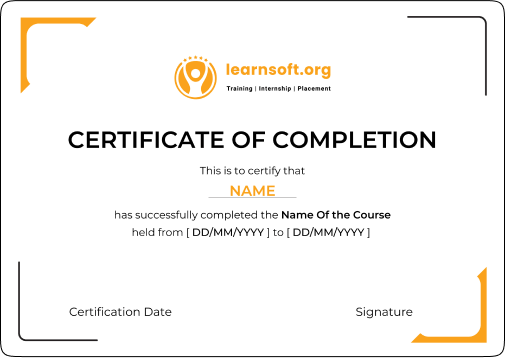
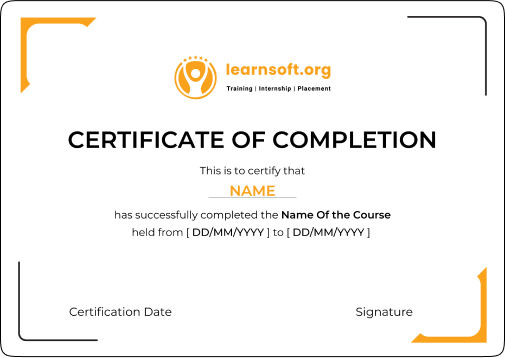
Our training is associated with the certification programs, and upon completion of all necessary projects, you will receive a course completion certificate from learnsoft.org along with other relevant certifications.
This skill credential verifies that you have successfully completed all assignments, exercises, projects, and case studies.
This certificate can be shared on LinkedIn, Facebook, Twitter and more to help you enhance your professional image.
Key Highlights
- Effective Microsoft Intune Management And Security Strategies Along With Guided Procedures.
- Policy Configuration, Device Restriction, And Security Compliance Activity Enforcement Experience.
- Cloud Security And IT Management Associates conducted this Training.
- Appropriate For Information Security Specialists, System Admins, Cloud Developers, And IT Managers.
- Focus On Real Life Practical Skills Integrated With Situation And Action Simulations.
Interested in Mastering with Learnsoft.org?
Join an exclusive batch of just 5 students to receive best-in-class training, live sessions, and personalized mentorship from leading industry experts.
- 5Students per Batch
- 100%Live Sessions
- 1:1Mentorship
- ExpertIndustry Trainers
Reviews from Our Intune Learners
“I am from pune. On first I was afraid to learn the course in online. later I had a demo session on Azure. From the demo to till my whole course completion I had an amazing experience thanks to ghani”
“Completing my Microsoft Intune course at Learnsoft was a truly rewarding experience. The training was structured in a way that made complex concepts easy to grasp. With knowledgeable trainers and interactive sessions, I now feel confident in applying Intune skills to advance my career.”
“I had completed DevOps training in this institute. It's great institute for learn devops. Instructor explain the real-time very good. Thanks for your experience”
“Completed Intune training here and had a great experience. I feel confident now in device management, policy creation, and troubleshooting. Recommended for IT professionals who want to grow in Intune and endpoint management. ”
“Overall PP training was good.Trainer is knowledgeable and we now have recorded sessions available too.Trainer has provided some good real time examples related to IT environment which helped me too.”
“I had completed flutter course at Learnsoft academy. The training was so good and they taught me well and gave a lot of career guidance, Thank you team.”
“I recently completed the Intune training. Our trainer, Pavilesh, was excellent throughout the sessions. He explained each concept patiently and made sure everyone understood before proceeding. He also guided us hands-on through the practical exercise.”
“I am from pune. On first I was afraid to learn the course in online. later I had a demo session on Azure. From the demo to till my whole course completion I had an amazing experience thanks to ghani”
“Completing my Microsoft Intune course at Learnsoft was a truly rewarding experience. The training was structured in a way that made complex concepts easy to grasp. With knowledgeable trainers and interactive sessions, I now feel confident in applying Intune skills to advance my career.”
“I had completed DevOps training in this institute. It's great institute for learn devops. Instructor explain the real-time very good. Thanks for your experience”
“Completed Intune training here and had a great experience. I feel confident now in device management, policy creation, and troubleshooting. Recommended for IT professionals who want to grow in Intune and endpoint management. ”
“Overall PP training was good.Trainer is knowledgeable and we now have recorded sessions available too.Trainer has provided some good real time examples related to IT environment which helped me too.”
“I had completed flutter course at Learnsoft academy. The training was so good and they taught me well and gave a lot of career guidance, Thank you team.”
“I recently completed the Intune training. Our trainer, Pavilesh, was excellent throughout the sessions. He explained each concept patiently and made sure everyone understood before proceeding. He also guided us hands-on through the practical exercise.”
Tap to pause & read
“I am from pune. On first I was afraid to learn the course in online. later I had a demo session on Azure. From the demo to till my whole course completion I had an amazing experience thanks to ghani”
“Completing my Microsoft Intune course at Learnsoft was a truly rewarding experience. The training was structured in a way that made complex concepts easy to grasp. With knowledgeable trainers and interactive sessions, I now feel confident in applying Intune skills to advance my career.”
“I had completed DevOps training in this institute. It's great institute for learn devops. Instructor explain the real-time very good. Thanks for your experience”
“Completed Intune training here and had a great experience. I feel confident now in device management, policy creation, and troubleshooting. Recommended for IT professionals who want to grow in Intune and endpoint management. ”
Trusted by thousands of learners across India
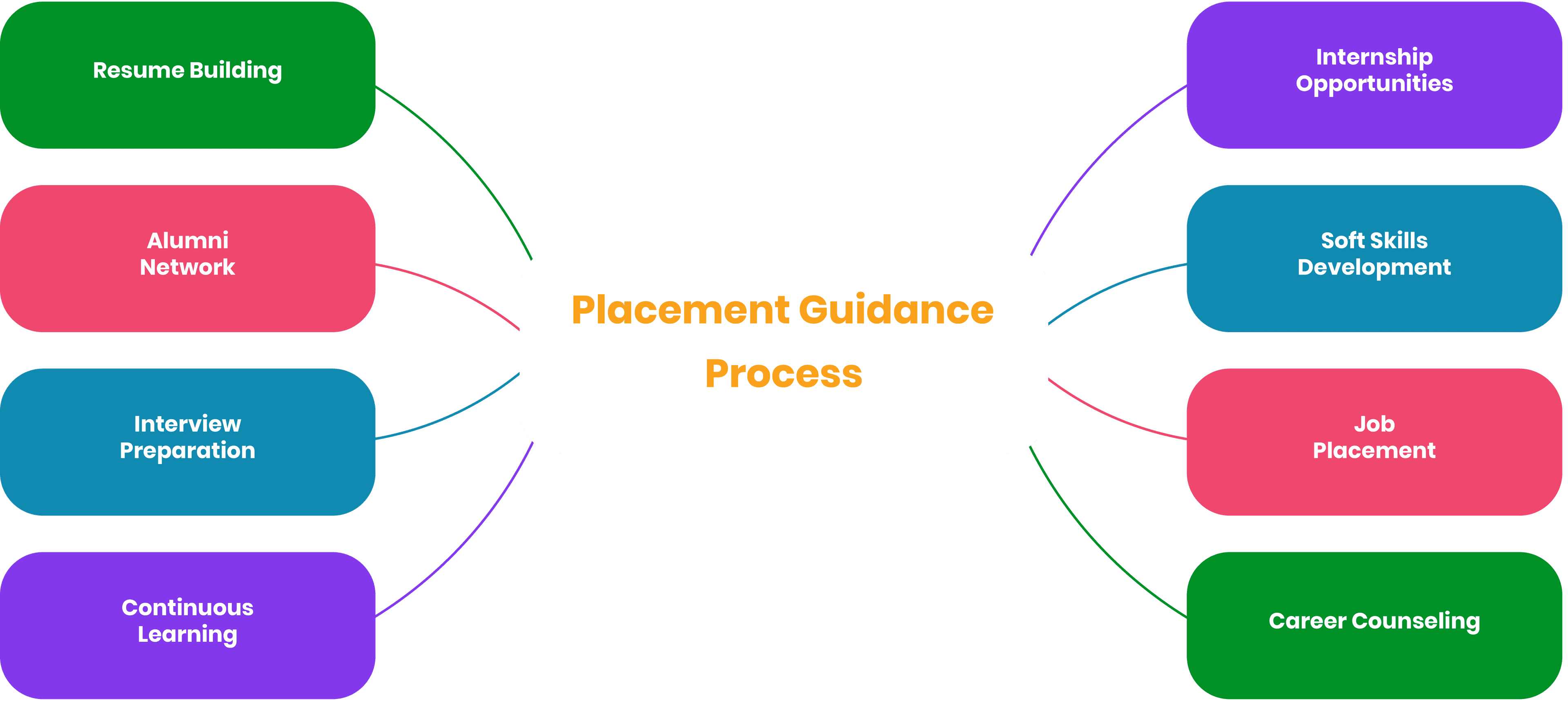
Placement Guidance: Your Career with Intune
We take pride in contributing to countless successful career transitions across the globe
Intune Training with Job Support Program
Support Work for over 70+ Technologies
Our plans of work-support are created as per your individual work or project needs. We have simple plans for beginners and advanced professionals alike who are looking for support in their roles and are willing to excel.
Community of Expert Professionals
With our online support for jobs comes a wealth of experience from approved mentors with real project handling experience and guidance for everyday job work. After support, you will be equipped with the knowledge and confidence to tackle any tasks given to you.
Support Offerings
Whatever the requirement is, you can always expect specialized help from us for your project. Our guided assistance guarantees that you acquire skills and knowledge that will enable you to accomplish the tasks without any worry

Pay Per Hour
Pay Per Week
Pay Per Monthly
FAQ's about Intune Training
Common questions about Intune Training in Training in Salem
Participants completing the Microsoft Intune training will be able to demonstrate the skills needed for managing devices and security endpoint systems, as well as meeting compliance and Microsoft 365 systems integration. In addition, you will obtain device management skills, including design, implementation, and monitoring, to ensure security and compliance. This training is excellent for enhancing IT management and security knowledge.
This program is designed to take approximately 30 to 50 work hours because video lessons accompanied by discussions, practicums, and case studies must be done for each topic to ensure that everything is learned. All students can complete the course at their own speed, whether they are beginners or experienced in the industry.
Microsoft Intune has undisputable primary device and application management reasons since it directly integrates with Microsoft 365, Azure Active Directory, and Endpoint Manager. Unlike other platforms, it utilizes cloud control, robust security features, and deeper integration into Microsoft's ecosystem, making it ideal for use in corporate environments.
Microsoft Intune Training will cost you between 18000 and 25000 rupees because this price varies with the inclusions such as course details, certification level, and other provided materials. For the most accurate information regarding cost and discounts, it is best to contact authorized training providers directly.
An individual with Microsoft Intune certification can be an endpoint Administrator, IT Security Specialist, Cloud Device Manager, System Administrator, and Compliance Manager. Earning the credential and possessing it integratively boosts your skill set as an IT professional by allowing you to manage infrastructure and device security, thus making you a key stakeholder in organizational security and management.
Intune Online Training in Other Locations
To cater to the diverse learning needs of individuals across different regions, we bring our high-quality Intune training services to your preferred location. Select your city below to maximize the value of your training investment.